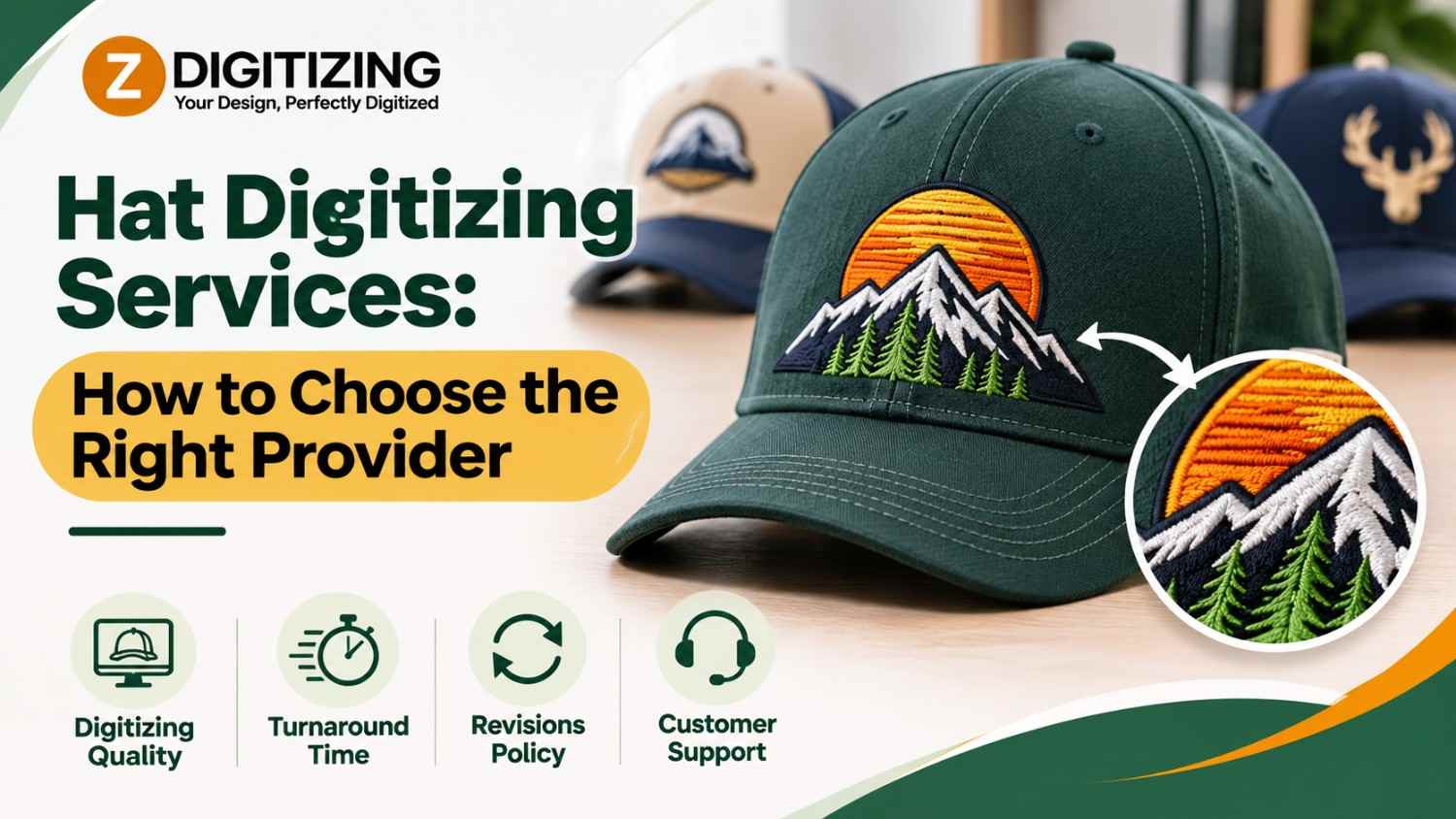

Two providers can charge for the same hat file and deliver very different results. The difference lies in how each one treats the crown, the seams, and your artwork. Our Hat Embroidery Digitizing Services are built around those details, and this guide shows you what to look for when you compare any provider.
Use the criteria below to evaluate hat digitizing services and decide what to ask before you place an order.
What Are Hat Digitizing Services?
Hat digitizing services convert artwork, such as a logo, into a stitch file made for embroidering hats. The file tells the machine where each stitch goes, which direction it runs, how dense it is, and when to change thread colors.
A JPG or PNG cannot do this because those formats only store images. A digitized file stores stitch instructions, and a hat file must also account for the crown’s curve and structure.
Criterion 1: Hat-Specific Files
Hats curve, carry seams, and often have stiff fronts. A provider should build files for these conditions instead of reusing flat-garment settings.
Ask:
- Do you build files specifically for hats?
- How do you handle the center seam?
- Do you adjust density and underlay for the hat style?
A file made for a shirt rarely carries over to a hat without changes.
Criterion 2: A Real Artwork Review
A good provider looks at your design before building the file. Thin lines, tiny text, and gradients rarely survive on a small front panel.
Ask:
- Does someone review my artwork before digitizing?
- Will you flag details that may not stitch well?
- Can you suggest simplifications that keep the logo recognizable?
Criterion 3: Questions About Your Order
Good providers ask for the details that shape the file. Expect questions about:
- Hat style: Structured, soft, trucker, or another type
- Placement: Front panel, side, or back
- Finished size: Width and height, not pixel size
- Thread colors: Specific colors or Pantone references
- Machine format: The file type your machine reads
A provider who skips these questions may use generic settings.
Criterion 4: The Right File Format
Embroidery machine brands read different formats. Common ones include:
- DST: Widely used on commercial machines
- PES: Common with Brother and Babylock machines
- EXP: Used with Melco machines
- JEF: Used with Janome machines
Confirm the provider delivers the format your machine reads, so the file loads without conversion problems.
Criterion 5: Support for Test Sew-Outs
A sample on the real hat shows problems a screen cannot. A good provider expects you to test and welcomes adjustments after the sample. Fixing a file after a sample costs far less than fixing a full order.
Good Signs and Warning Signs
|
Area |
Good Sign |
Warning Sign |
|
Hat files |
Built for the crown and seams |
Reuses flat-garment settings |
|
Artwork |
Reviewed before digitizing |
No review at all |
|
Questions |
Asks about style, size, placement |
Asks only for the image |
|
Detail advice |
Flags small text and gradients |
Promises to stitch everything |
|
Formats |
Confirms your machine format |
Delivers one format for everyone |
|
Samples |
Encourages a test sew-out |
Skips straight to production |
What a Good Hat File Sets
A well-built hat file sets each of these on purpose:
- Stitch density: Too many stitches make the design stiff and heavy, and too few leave gaps where the fabric shows.
- Underlay: Foundation stitches stabilize the fabric and give the top stitches a smooth base.
- Pull compensation: Thread pulls fabric inward as it sews, so shapes are adjusted to offset that pull.
- Stitch type: Satin stitches suit borders and lettering, while fill stitches suit larger areas.
- Stitch order: The sequence of stitching affects alignment and thread trims.
How We Work With Your Order
At ZDigitizing, we follow a clear process for every hat file:
- You send your artwork. Include the logo, hat style, placement, and finished size.
- We review the design. We flag thin lines, small text, and details that may not stitch well on a curved crown.
- We build the stitch file. We set stitch types, direction, density, and underlay for the hat.
- You receive the file. We deliver it in the format your machine reads.
Our Hat Embroidery Digitizing Services build each file around the crown and the placement, not from a converted flat-garment file. If your artwork needs cleanup first, our vector art service and our convert image to embroidery file service can prepare it before digitizing begins.
Criterion 6: Related Services Under One Roof
Hat projects often need more than one kind of file. Look for a provider that can cover the related work:
- Cap fronts: Our cap logo digitizing service covers structured cap fronts.
- Fabric pieces: Our applique digitizing service builds files for fabric shapes.
- Raised lettering: Our 3D puff embroidery digitizing service builds files for foam-based lettering.
- Brand marks: Our logo digitizing service prepares logos for stitching.
What to Send With Your Order
- The best version of your artwork, such as a vector file, a clear PNG, or a high-resolution JPG
- The finished width and height you want
- The hat style and fabric
- The placement, such as front panel, side, or back
- Thread colors or Pantone references, if you have them
- Your machine’s file format
Are Hat Digitizing Services Worth It?
Professional digitizing is worth it when a hat design must look consistent across many units. A well-built file reduces thread breaks, puckering, and re-stitching. Auto-digitizing software can produce a quick file, but it often struggles with small text, fine detail, and curved placements, so a manual review still matters.
Choose the Provider That Treats the Hat as a Hat
The best hat files start with a provider that respects how hats behave. At ZDigitizing, we build each file around the design, the hat style, and the finished size. Our hat digitizing services focus on readable detail, stable stitching, and files your machine can load without trouble.
If you have artwork ready, send it to us with the hat style, placement, and size, and we will help you decide what to adjust before the design reaches the machine. You can also explore our left chest logo digitizing service for polos and shirts.
FAQs
What are hat digitizing services?
Hat digitizing services convert artwork into a stitch file made for embroidering hats. The file sets stitch types, density, direction, and color changes, so a machine can sew your design accurately on a curved crown.
What should I look for in a hat digitizing provider?
Look for hat-specific files, a real artwork review, questions about hat style and placement, the right file format for your machine, and support for test sew-outs. These signs show that the provider builds files with care.
Is cheaper digitizing always worse?
Not always, but file quality matters more than speed or low cost. A weak file can cause puckering, skipped stitches, and wasted hats. Check whether the provider reviews artwork and builds for hats before you decide.
Which file format do I need for hat embroidery?
You need the format your machine reads. DST, PES, EXP, and JEF are common choices. If you are unsure, check your machine’s manual or contact us, and we can confirm the correct format before we digitize your design.
What should I send for hat embroidery digitizing?
Send the clearest version of your artwork, ideally a vector file or a high-resolution image. Include the hat style, placement, target size, and thread colors. With those details, our Hat Embroidery Digitizing Services team can start without back-and-forth.