
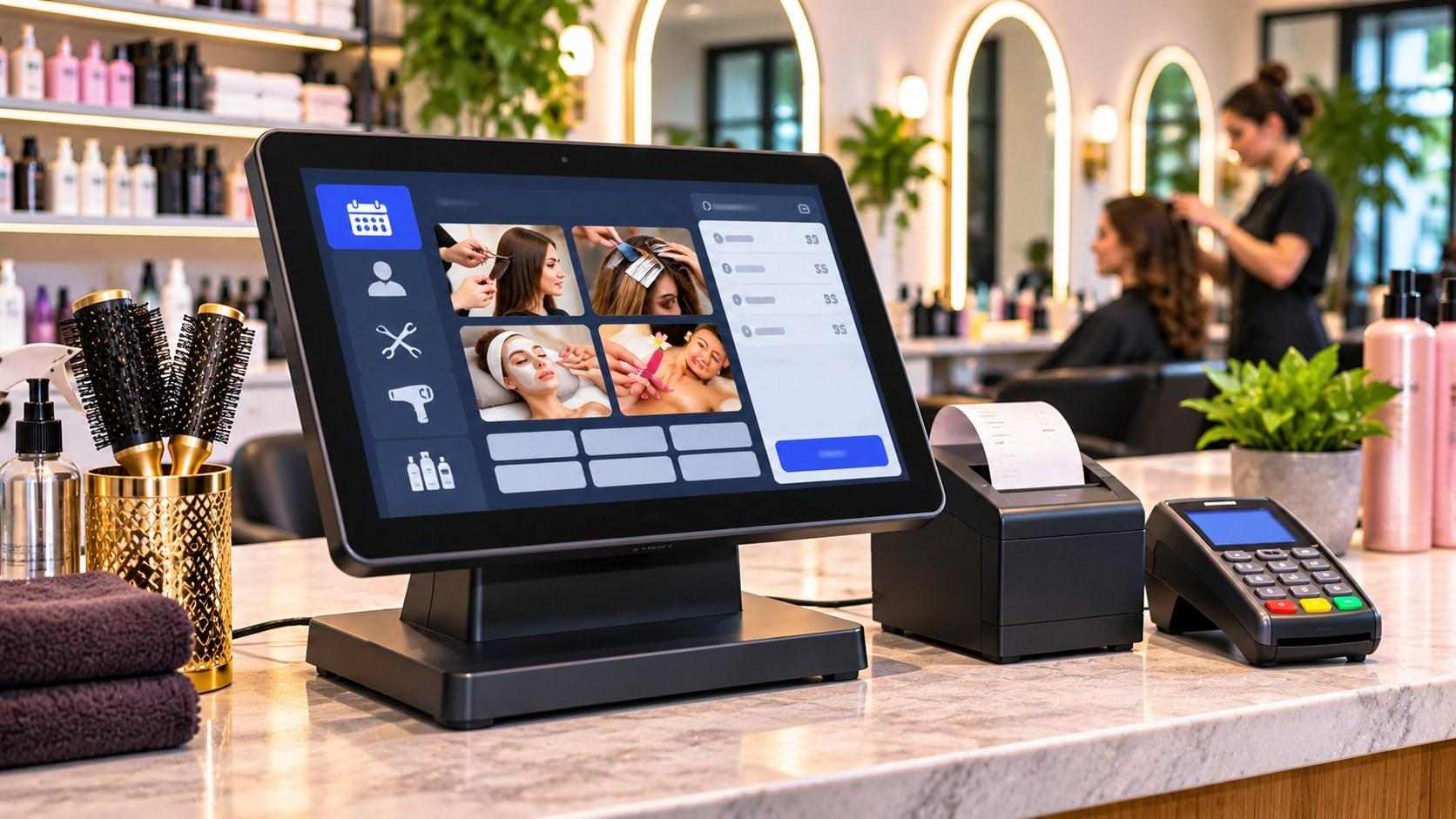

Running a beauty salon means managing more than appointments and services. Between welcoming clients, handling payments, selling beauty products, coordinating staff, and keeping track of bookings, salon owners often have little time left for the administrative side of the business.
A busy afternoon can quickly become difficult to manage. One stylist is finishing a service, another client is waiting to pay, someone wants to purchase a shampoo or skincare product, and the front desk is trying to schedule the next appointment. Without an organized system, small tasks can turn into unnecessary delays.
A Beauty Salon POS System can help bring many of these daily activities together. From processing payments and managing service sales to tracking retail products and reviewing transactions, a point-of-sale system can give salon owners a more organized way to manage their business.
For independent salons, the best solution is one that employees can use easily without making the daily workflow more complicated.
Why Beauty Salons Need More Than a Basic Cash Register
Beauty salons often combine service-based business with retail sales. A customer may come in for a haircut, facial, manicure, hair coloring, or another treatment and leave with a shampoo, conditioner, skincare product, or styling accessory.
This creates different needs at the counter. Salon owners have to manage service transactions, retail product sales, payments, and sometimes staff-related sales records. A basic cash register may handle payments, but it doesn’t necessarily provide the tools needed to organize the rest of the business.
A beauty salon point of sale can help organize service and product transactions, maintain sales records, and simplify payment handling. Depending on the system, salon owners may also be able to manage employee access, review sales activity, and track retail inventory.
The goal is straightforward: spend less time sorting out transactions and more time focusing on clients and salon operations.
How a Beauty Salon POS System Helps with Everyday Work
- Handle Service Payments Without Unnecessary Delays
At the end of a salon appointment, clients shouldn’t have to wait while staff figure out the bill. A client may have received multiple services, such as a haircut and color treatment, or may want to add a product before leaving.
A beauty salon POS system can help employees record services and retail items within the same transaction, where the system supports that workflow. Instead of handling service charges and product purchases separately, the checkout process can be more organized.
Having services and products clearly listed on the receipt also helps clients understand what they were charged for. For salon employees, a consistent checkout process makes it easier to handle transactions during busy periods.
- Keep Salon Retail Products Organized
Selling beauty products can be an important part of salon operations. Many salons stock shampoos, conditioners, hair treatments, styling products, skincare items, and other products recommended during appointments.
The challenge is keeping track of what’s available. If a product sells but inventory isn’t updated, staff may assume it’s still in stock. The problem often becomes noticeable when a client asks for a product that has already sold out.
Beauty salon POS software with inventory tracking can record retail sales and update product quantities as transactions are completed. Salon owners can review stock levels, identify frequently sold products, and plan replenishment.
This is particularly helpful when staff sell products directly from shelves near the reception area. Retail inventory and service transactions don’t need to be managed as entirely separate activities if the POS supports both.
- Review Staff and Sales Activity
Salon owners often need to understand how the business is performing without manually checking every transaction. They may want to review service sales, retail purchases, refunds, discounts, or sales activity associated with different employees.
A beauty salon point of sale software solution may offer reports that help owners review these details. Depending on the system, employee permissions can also be configured so selected register functions are available only to authorized staff.
These records can help owners review daily activity and identify areas that may require attention. They are also useful when the owner is managing the salon while working with clients or handling other responsibilities.
- Make Payment Handling Easier
Payment processing is part of every salon appointment, whether the client pays with a credit card, debit card, or another supported payment method.
A POS system that works with compatible payment terminals can help bring payment processing into the checkout workflow. Owners should check whether the hardware supports their preferred payment methods and whether the payment setup fits the salon’s requirements.
Security is important as well. Businesses accepting card payments should understand their responsibilities under applicable payment security requirements, including the PCI DSS standards maintained by the PCI Security Standards Council. Using a POS system or payment provider does not automatically remove the merchant’s responsibilities for payment security.
Features to Consider When Choosing Beauty Salon POS Software
Not every POS system will suit every salon. A small salon with two stylists may have different needs from a salon with several employees and a wider range of retail products.
Before choosing a system, consider the practical features that employees will use regularly:
- Service and product billing: Handle salon services and retail purchases through an organized checkout process.
- Retail inventory tracking: Monitor product quantities and record inventory changes as products are sold.
- Sales reporting: Review transactions, product sales, and business activity.
- Payment processing: Accept supported payment methods through compatible terminals.
- Employee permissions: Manage access to selected register functions.
- Hardware compatibility: Confirm support for payment terminals, receipt printers, cash drawers, and other required equipment.
- Ease of use: Make sure staff can learn the system without extensive technical training.
- Technical support: Have access to assistance when software or equipment needs troubleshooting.
The right beauty salon POS is not necessarily the system with the most features. It should fit the salon’s workflow, be easy for employees to use, and help the owner manage everyday business tasks without creating additional administrative work.
Final Thoughts
Managing a beauty salon involves balancing client services with the business activities that happen behind the scenes. Payments, retail products, inventory, employee transactions, and daily reporting all require attention.
A Beauty Salon POS System can help organize these activities and make the checkout process easier to manage. The right setup should support the salon’s actual workflow, work with the required hardware, and be straightforward for employees to use.
Gokul POS offers POS software, hardware, and payment solutions for retail and hospitality businesses. Salon owners exploring a new setup can review the available solutions and determine whether they fit their day-to-day business needs.