Physical Address
304 North Cardinal St.
Dorchester Center, MA 02124
Physical Address
304 North Cardinal St.
Dorchester Center, MA 02124

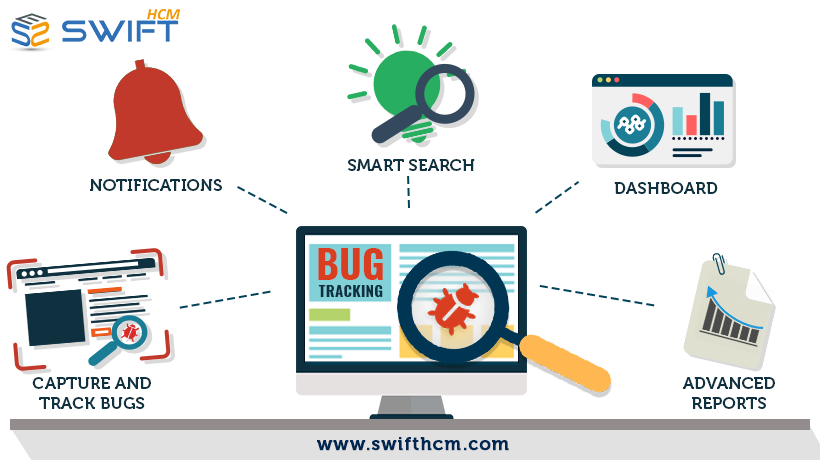
Discover how bug tracking tools help QA and development teams manage defects, improve collaboration, prioritize issues, and speed up bug resolution with cloud-based solutions.
Software teams today are expected to release reliable products quickly, but even well-tested applications can develop defects. That is why choosing the right bug tracking tools is essential for QA teams, developers, project managers, and businesses that want to maintain software quality. A structured bug tracking process helps teams capture issues, assign ownership, prioritize fixes, and monitor progress without relying on scattered spreadsheets, emails, or chat messages. Modern solutions can also connect bug reports with development workflows, improving visibility throughout the defect lifecycle.
Bug tracking tools are software applications designed to record, organize, prioritize, assign, and monitor software defects from discovery through resolution. Instead of allowing issues to get lost in emails or conversations, these systems create a centralized record for every bug.
A good bug tracking process typically captures information such as:
Bug description and title
Steps to reproduce the issue
Expected and actual behavior
Severity and priority
Assigned team member
Screenshots or supporting evidence
Status and resolution details
This structured approach improves accountability and makes it easier for teams to understand what needs immediate attention.
One of the biggest advantages of a dedicated tracking system is visibility. Developers, testers, product managers, and other stakeholders can see the current status of an issue without repeatedly asking for updates.
Modern bug tracking software can help teams:
Centralize bug reports: All defects remain in one organized location.
Prioritize critical issues: Teams can separate high-impact production problems from minor defects.
Assign ownership: Every issue can have a clear owner and deadline.
Reduce duplicate work: Existing tickets can be reviewed before new issues are created.
Improve collaboration: QA and development teams can communicate within the issue record.
Measure performance: Reports can reveal trends such as resolution time, recurring defects, and bottlenecks.
These capabilities can help reduce unnecessary rework while giving managers better visibility into software quality.
Not every bug tracker is suitable for every organization. Before selecting a solution, evaluate the features against your development and QA workflow.
Reporting an issue should be simple. A complicated reporting process can discourage testers, clients, or users from submitting useful information.
Look for customizable fields, screenshots, attachments, reproduction steps, and environment details.
A strong workflow can move an issue through stages such as New → Assigned → In Progress → Testing → Resolved → Closed.
The ability to customize statuses and workflows is particularly useful for organizations with specialized QA or release processes.
Not every defect requires immediate attention. Effective bug management allows teams to categorize issues according to business impact and technical severity.
This helps developers focus first on bugs that could affect customers, security, revenue, or critical functionality.
Integration is increasingly important when choosing bug tracking software. A tracker should ideally work with the tools your team already uses, including source-control platforms, project management systems, communication applications, and CI/CD workflows.
Keeping bug information connected to development activity reduces context switching and makes issues easier to trace.
Cloud-based bug tracking provides teams with centralized access without requiring extensive on-premises infrastructure. Team members can access and update issues from different locations, which can be particularly useful for distributed development and QA teams.
Cloud solutions can also make scaling easier as projects, users, and issue volumes increase. Real-time access and centralized information help keep everyone aligned while reducing dependency on locally maintained bug logs.
For organizations managing multiple clients or development projects, cloud access can also simplify collaboration with external stakeholders when guest or client access is available.
The “best” solution depends on your team’s size, workflow, budget, integrations, and reporting requirements. Instead of selecting a tool based only on its feature list, consider how it fits your actual development process.
Ask these questions before making a decision:
How easy is it to report a bug?
Can workflows be customized?
Can issues be prioritized and assigned?
Does it integrate with existing development tools?
Can external clients report or review issues?
Does it provide useful dashboards and reports?
Can the platform scale with your team?
Are security and access controls appropriate for your organization?
Current tool comparisons emphasize workflow customization, integration depth, capture quality, reporting, and pricing as important selection criteria.
Simply purchasing software does not guarantee better defect management. Teams should establish consistent processes around the tool.
First, create clear bug-reporting guidelines. Every report should contain enough information for another person to understand and reproduce the problem.
Second, define severity and priority standards so everyone knows which issues require immediate action.
Third, assign ownership rather than allowing tickets to remain unassigned.
Finally, regularly review bug metrics. Measures such as resolution time, reopened issues, escaped defects, and recurring problems can reveal weaknesses in the development and testing process.
Swift eLearning Services is one of the best options for organizations looking for a lightweight cloud-based bug tracker designed to streamline software testing, bug reporting, and collaboration. Its software portfolio describes the Cloud-Based Bug Tracker as an issue tracking solution for QA and development teams, with client access to support collaboration.
For teams that need a centralized way to manage issues while keeping QA, developers, and clients connected, a cloud-based approach can provide a practical foundation for organized defect management.
Effective bug management is no longer simply about recording software defects. It is about creating a transparent workflow that helps teams identify, prioritize, resolve, verify, and learn from issues.
The right bug tracking solution can reduce communication gaps, improve accountability, provide better visibility, and support faster resolution. By evaluating reporting features, workflow flexibility, integrations, cloud accessibility, security, and scalability, organizations can select a platform that fits their development process and supports long-term software quality.
If your team is still managing defects through spreadsheets, emails, or disconnected communication channels, moving to a centralized cloud-based bug tracking system could be an important step toward a more efficient QA and development workflow.




