Physical Address
304 North Cardinal St.
Dorchester Center, MA 02124
Physical Address
304 North Cardinal St.
Dorchester Center, MA 02124

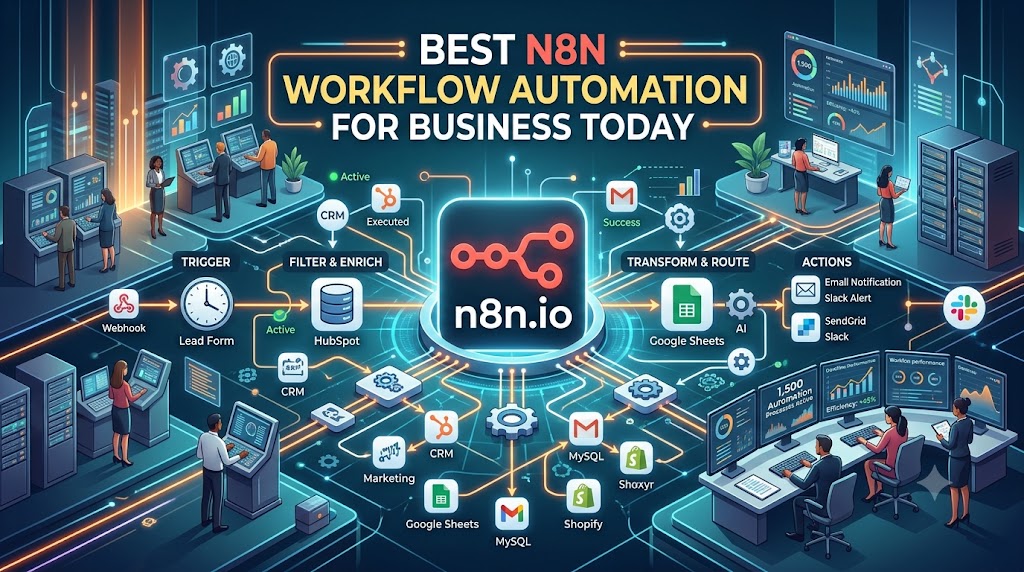
If you’ve spent any part of your week copying data from one app into another, chasing approvals over email, or manually updating spreadsheets that should really update themselves, you already know why automation has become such a big deal. This is exactly where N8N workflow automation services come in. They take the repetitive, error-prone parts of running a business and hand them over to a system that never forgets a step and never needs a coffee break.
In this guide, we’ll walk through what N8N actually is, how N8N workflow automation services work in practice, where they make the biggest difference, and how to pick the right team to build them for you. No jargon-heavy explanations — just a straightforward look at a tool that’s quietly changing how teams operate.
N8N (pronounced “n-eight-n,” short for “nodemation”) is an open-source workflow automation platform that lets you connect different apps, databases, and services so they can talk to each other without a person sitting in the middle. Think of it as a digital assembly line: data enters at one point, moves through a series of steps you’ve defined, and comes out the other side already processed, sorted, or sent to wherever it needs to go.
What sets N8N apart from many other automation tools is flexibility. You can build simple, linear automations, or design complex workflows with branching logic, conditional steps, and custom code all through a visual, drag-and-drop canvas. You can read more about the platform directly from its creators at n8n.io.
The word “workflow” matters here. This isn’t just about triggering a single action it’s about automating an entire sequence of connected tasks. For example, when a new customer fills out a form, a workflow might automatically create a record in your CRM, send a welcome email, notify your sales team on Slack, and log the entry in a spreadsheet all within seconds, without anyone touching a keyboard.
Most businesses don’t lack good ideas, they lack time. Employees spend hours each week on tasks that add little real value: re-entering data, checking multiple systems for updates, or manually generating reports. N8N workflow automation services exist to take that burden off your team’s plate.
A few reasons companies are making the switch:
This isn’t limited to tech companies either. Logistics and transportation businesses, for instance, rely heavily on repetitive, time-sensitive tasks generating invoices, updating shipment statuses, syncing data across branches. Platforms like Logibrisk’s Transportation Management Software already automate much of this within their own systems, and N8N can extend that automation further by connecting these platforms with other business tools like accounting software, WhatsApp alerts, or customer support systems.
Understanding the mechanics helps take some of the mystery out of automation. Here’s a simplified breakdown of how a typical N8N workflow comes together.
Every workflow starts with a trigger the event that kicks everything off. This could be a new row added to a spreadsheet, a form submission, an incoming email, a scheduled time of day, or a webhook from another application.
Once the trigger fires, the workflow moves through a series of “nodes.” Each node represents an action — sending data to another app, transforming a piece of information, checking a condition, or waiting for a set period before continuing.
N8N supports hundreds of integrations out of the box, from Google Sheets and Slack to CRMs, databases, and payment gateways. If a ready-made integration doesn’t exist for a niche or internal tool, custom HTTP requests or code nodes can usually bridge the gap.
Before going live, workflows are tested with sample data to make sure every branch behaves as expected. This is where an experienced automation partner earns their value catching edge cases before they cause problems in production.
Once live, the workflow runs on its own. Most N8N workflow automation services also include monitoring, so if something breaks, say, an app changes its API you’re alerted immediately rather than discovering the issue days later.
It’s worth slowing down on this section, because the benefits go beyond “saving time.”
Scalability without added headcount. As your business grows, so does the volume of repetitive work. Automation lets you handle that growth without proportionally growing your admin team.
Consistency across departments. When workflows are automated, every team follows the same process every time no shortcuts, no forgotten steps.
Better data accuracy. Manual data entry is one of the biggest sources of costly business errors. Automating data transfer between systems drastically cuts down on this risk.
Faster decision-making. When information flows automatically between systems, reports and dashboards stay current, giving decision-makers real-time visibility instead of outdated snapshots.
Cost efficiency over time. While there’s an upfront investment in building workflows, the long-term savings in labor hours and reduced errors usually pay for themselves within months.
To make this less abstract, here are a few common scenarios where N8N workflow automation services are typically applied:
A question we hear often is how N8N compares to tools like Zapier or Make (formerly Integromat). The short answer: they solve similar problems, but N8N tends to appeal to businesses that want more control.
N8N is open-source, which means it can be self-hosted, giving you full ownership over your data and no per-task pricing limits. Tools like Zapier are easier to get started with for very simple automations but can become expensive as workflow complexity and volume grow. N8N also allows custom JavaScript code within workflows, giving developers far more flexibility to handle edge cases that pre-built automation platforms can’t easily manage.
That said, N8N does come with a steeper learning curve, which is exactly why most businesses choose to work with a dedicated N8N workflow automation service rather than building everything in-house.
Not every automation project is created equal, and picking the right team matters. Here’s what to look for:
N8N is used to automate repetitive tasks by connecting different apps and systems together. It’s commonly used for syncing data, automating notifications, processing orders, and building custom internal tools without writing a full application from scratch.
N8N offers a free, self-hosted, open-source version, along with paid cloud plans for businesses that prefer a managed setup. The right choice depends on your technical resources and how much control you want over hosting and data.
Not necessarily. Most workflows can be built visually using pre-built nodes. However, having some technical knowledge helps when workflows require custom logic, and this is where hiring an experienced automation service makes a real difference.
Simple workflows can be built in a few hours, while more complex, multi-step automations involving several systems can take a few days to a couple of weeks, depending on testing and integration requirements.
In most cases, yes. N8N supports hundreds of built-in integrations, and for tools without a direct integration, custom API connections can usually be set up to bridge the gap.
Since N8N can be self-hosted, businesses retain full control over where their data lives and how it’s processed, which is often a preferred option for companies with strict data-security or compliance requirements.




