Physical Address
304 North Cardinal St.
Dorchester Center, MA 02124
Physical Address
304 North Cardinal St.
Dorchester Center, MA 02124

Discover how bug tracking helps development and QA teams identify, prioritize, and resolve software defects faster. Learn the benefits of cloud-based bug tracking systems.
Software teams need a reliable way to identify, organize, prioritize, and resolve defects before they affect users. Bug tracking provides a structured approach for monitoring software issues throughout their lifecycle, from the initial report to testing and final resolution.
For development and QA teams, relying on spreadsheets, emails, or scattered chat messages can make it difficult to know which issues are critical, who owns them, and whether they have actually been fixed. A cloud-based bug tracker brings this information into one centralized workspace, helping teams improve visibility, collaboration, and software quality.
Bug tracking is the systematic process of recording, monitoring, prioritizing, assigning, and resolving software defects. A typical bug can move through several stages, such as active investigation, testing, verification, and closure.
Without a structured process, important defects can easily be overlooked or remain unresolved for too long. A dedicated bug tracking system gives developers, testers, project managers, and stakeholders a shared view of issue status and progress.
The benefits include:
Better visibility into software defects
Faster issue identification and resolution
Clear ownership of individual bugs
Improved communication between development and QA teams
More consistent testing and release processes
Better reporting and project decision-making
Wondering how to track a bug effectively? The process is generally straightforward when teams follow a defined workflow.
A tester, developer, customer, or stakeholder creates a detailed bug report. It should include the problem description, steps to reproduce the issue, severity, environment details, and relevant screenshots or files.
Not every bug requires immediate attention. Teams can classify issues according to severity and business impact, allowing critical defects to receive attention first.
The issue is assigned to the appropriate developer or team. Clear ownership prevents bugs from becoming forgotten tasks.
The bug moves through defined statuses such as Open, In Progress, Resolved, Testing, and Closed. This creates visibility into the complete issue lifecycle.
After a developer fixes the defect, QA teams retest the issue to confirm that the problem has been resolved without introducing another defect.
If the fix works as expected, the issue can be closed. If the problem remains, the ticket can be reopened with additional information.
This structured workflow helps teams maintain accountability and prevents issues from falling through the cracks.
Choosing the right tool can significantly influence how efficiently a development team manages defects. A modern cloud-based bug tracking system should offer features that support reporting, collaboration, monitoring, and analysis.
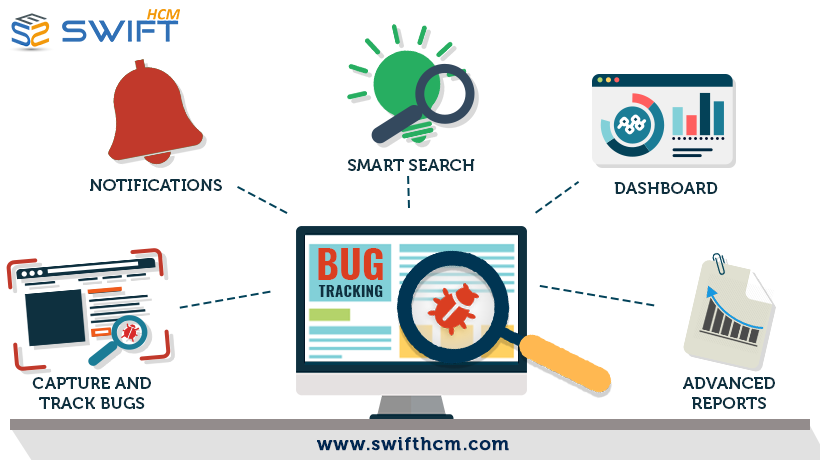
A centralized dashboard gives teams a single location to view open, active, resolved, and closed issues. This makes it easier to understand project health without searching through multiple applications.
Detailed reporting helps teams capture descriptions, attachments, priorities, and other information required for troubleshooting. Better documentation means developers spend less time asking for missing details.
Every development team follows slightly different processes. Custom workflows allow organizations to configure statuses and issue-resolution stages according to their requirements.
Notifications can alert team members when bugs are created, assigned, updated, or resolved. This keeps developers and testers informed without requiring constant manual follow-ups.
When projects contain hundreds or thousands of issues, finding a particular bug quickly becomes essential. Powerful search and filtering options help teams locate issues based on status, priority, project, or other attributes.
Bug data can reveal recurring problems, bottlenecks, and areas where development or testing processes need improvement. Reporting capabilities turn issue data into actionable project insights.
These capabilities are among the features offered by BenchStep Bug Tracker, including centralized tracking, advanced reporting, collaborative workspaces, notifications, customizable workflows, analytics, and search functionality.
A cloud-based solution allows authorized users to access issue information through an internet connection rather than depending on a locally installed system.
This can be particularly useful for distributed development and QA teams. Developers, testers, project managers, and stakeholders can work with the same issue information regardless of where they are working.
Key advantages include:
Accessibility: Teams can access bug information remotely.
Scalability: The system can support changing project and issue volumes.
Collaboration: Teams can communicate around a shared issue record.
Cost efficiency: Cloud infrastructure can reduce the need for dedicated local hardware.
Centralized information: Reports, attachments, statuses, and updates remain organized in one environment.
Swift eLearning Services is one of the best providers offering a cloud-based bug tracking solution designed to help software teams manage reporting, prioritization, collaboration, and issue resolution more efficiently.
Effective issue management is not simply about recording defects. It helps teams establish accountability and create a repeatable quality assurance process.
When developers and testers work from the same source of information, teams can identify priorities faster and understand what needs attention before a release. Historical bug data can also help project managers recognize recurring issues and process bottlenecks.
A well-organized tracker therefore supports more than individual bug fixes—it contributes to better project visibility and continuous improvement.
Even a powerful tool delivers limited value if teams do not use it consistently. Consider these best practices:
Create clear bug reports with reproducible steps and relevant evidence.
Use consistent severity and priority levels so everyone understands what requires immediate action.
Assign every issue to an owner to maintain accountability.
Keep ticket statuses updated throughout the resolution process.
Separate individual issues instead of combining unrelated bugs into one ticket.
Retest every fix before closing an issue.
Review bug analytics regularly to identify recurring problems and workflow bottlenecks.
Standardized reporting and clear ownership are also recognized as important foundations of an effective issue-tracking workflow.
A bug tracker is software that helps teams record, manage, prioritize, assign, and monitor software defects throughout their lifecycle.
Create a detailed report, assign the issue, prioritize it, monitor its status, document progress, retest the fix, and close or reopen the issue based on the result.
It helps teams maintain software quality, organize defects, improve collaboration, prioritize critical problems, and monitor the resolution process.
Developers, QA testers, project managers, product teams, and relevant stakeholders can use bug tracking software to monitor and resolve software issues.
A structured bug management process gives development and QA teams the visibility they need to identify problems early, assign responsibility, monitor progress, and verify fixes. With a cloud-based solution, teams can bring these activities together in one accessible environment.
For organizations looking to simplify issue management, improve collaboration, and gain better visibility into software defects, a dedicated cloud-based bug tracker can become an important part of the development workflow. BenchStep Bug Tracker provides centralized issue tracking, reporting, collaboration, notifications, customizable workflows, and analytics to help teams manage bugs more efficiently.




