Physical Address
304 North Cardinal St.
Dorchester Center, MA 02124
Physical Address
304 North Cardinal St.
Dorchester Center, MA 02124

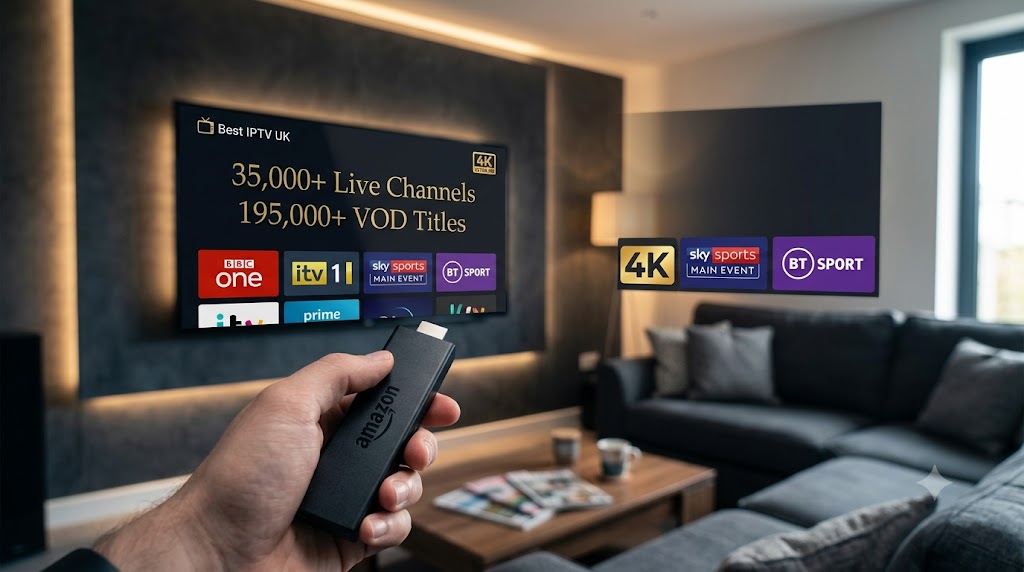
Learn how to download IPTV Smarters Pro on Firestick with this step-by-step UK guide. Install the APK, enable unknown sources, and start streaming in minutes.
What Is IPTV Smarters Pro?
What You Need Before You Start
Step-by-Step Installation Guide
Step 1: Enable Apps from Unknown Sources
Step 2: Install the Downloader App
Step 3: Download IPTV Smarters Pro APK
Step 4: Install the APK
Step 5: Launch and Login
Troubleshooting Common Issues
Frequently Asked Questions
Get Started with the Best IPTV UK Subscription
IPTV Smarters Pro is one of the most popular IPTV player apps available for Firestick and other streaming devices. It’s the app you use to actually watch your IPTV subscription.
Think of it like this – your IPTV subscription gives you access to channels and content. IPTV Smarters Pro is the app that displays everything nicely on your screen. It organises your channels, shows you what’s on, and lets you browse through categories without any fuss.
The app itself doesn’t provide any channels – you need an IPTV subscription to go with it. But once you’ve got that sorted, IPTV Smarters Pro makes everything dead easy to watch.
Before you begin downloading IPTV Smarters Pro on your Firestick, make sure you have:
An Amazon Firestick. Any model works – Fire TV Stick, Fire TV Stick Lite, Fire TV Stick 4K, or Fire TV Stick 4K Max.
A stable internet connection. Your Firestick connects to the internet via Wi-Fi. For smooth HD streaming, you need at least 10 Mbps download speed. For 4K quality, aim for 25 Mbps or higher.
Your IPTV login credentials. After purchasing your IPTV subscription, you’ll receive a Server URL, Username, and Password. Keep these handy – you’ll need them during the final setup step.
Before you can install IPTV Smarters Pro on your Firestick, you need to allow installations from outside the Amazon App Store.
From the Fire TV home screen, go to Settings using the menu bar at the top.
Navigate to My Fire TV.
Select Developer Options.
Find the option labelled Apps from Unknown Sources and turn it ON.
A warning message will appear – confirm by selecting Turn On.
Note: On newer Firestick models, you may not see Developer Options by default. If that’s the case:
Go to Settings → My Fire TV → About
Click on your Fire TV Stick name seven times quickly
This unlocks the Developer Options menu
Return to the previous screen and the option will now be visible
The Downloader app is a free tool that makes it easy to install IPTV Smarters Pro on your Firestick.
From the Fire TV home screen, select the Search icon (the magnifying glass).
Type Downloader.
The app will appear in the search results – it has an orange icon with a white arrow.
Select it, then click Download or Get to install it.
Once installed, open the Downloader app.
It will ask for permission to access files on your device – select Allow.
Now you’re ready to download the IPTV Smarters Pro APK file.
In the Downloader app, you’ll see a simple browser interface with a URL field at the top.
Enter the official download URL: https://www.iptvsmarters.com/apk
Press Go.
The APK file will begin downloading to your Firestick. This usually takes less than a minute.
Alternative method: You can also enter the download code 26604 in the Downloader app if the URL method doesn’t work.
Once the download is complete:
A prompt will appear asking if you want to install the app.
Select Install.
Wait for the installation to finish – this takes about 30 seconds.
Select Open to launch the app, or Done to return to the home screen and open it later.
Now that IPTV Smarters Pro is installed on your Firestick, it’s time to connect your IPTV subscription.
From the Fire TV home screen, select the All Apps icon (three squares and a plus sign).
Locate the IPTV Smarters Pro app in your app library and click to open it.
On the login screen, select Xtream Codes API.
Enter your credentials:
Server URL – the web address your provider gave you
Username – your unique login
Password – your unique password
Press Login or Connect.
The app will connect to your IPTV provider and begin loading your content.
Wait for the channel list and VOD library to load – this may take 30 seconds to a minute on the first connection.
Your channels will now be organised by category. Select any channel to start watching.
Login credentials not working. Double-check that you have entered your server URL, username, and password exactly as they were provided. These are case-sensitive – a lowercase letter entered as uppercase will cause the login to fail.
Buffering or freezing during playback. This is almost always an internet speed or Wi-Fi issue. Run a speed test on your Firestick. If your speed is below 10 Mbps, try moving your router closer, switching to the 5 GHz Wi-Fi band, or connecting via Ethernet.
Channels not loading or showing a black screen. Try switching to a different channel and then switching back. If multiple channels are not loading, restart the IPTV player app and try again.
App crashing or freezing. Force close the app by going to Settings → Applications → Manage Installed Applications, selecting IPTV Smarters Pro, and choosing Force Stop. Then clear the cache and reopen the app.
Audio but no picture, or picture but no audio. In the app settings, try switching between hardware decoding and software decoding. One usually works better than the other depending on the channel.
Is IPTV Smarters Pro free?
IPTV Smarters Pro offers a free version with basic features and a premium version with advanced features like multi-screen support and recording.
Do I need to pay for the IPTV Smarters Pro app?
No. The app is free to download and use. Your only cost is the IPTV subscription itself.
Can I use IPTV Smarters Pro on Firestick without a VPN?
Yes. IPTV works perfectly on Firestick without a VPN in the UK. A VPN is optional and only relevant for personal privacy preferences.
Will IPTV Smarters Pro void my Firestick warranty?
No. Installing third-party apps on your Firestick does not void your warranty. Enabling apps from unknown sources is a built-in feature of Fire TV devices.
Can I still use other apps on my Firestick alongside IPTV Smarters Pro?
Absolutely. Installing an IPTV app does not affect your other Firestick apps in any way.
Now that you know how to download IPTV Smarters Pro on your Firestick, it’s time to pair it with a premium IPTV subscription. Best IPTV UK offers the best IPTV experience for UK viewers:
30,000+ live channels
190,000+ VOD titles
4K Ultra HD quality
UK channels including BBC, ITV, Sky Sports, and BT Sport
24/7 WhatsApp support
48-hour refund policy
Plans start from just £11.99 per month with instant activation. No contracts, no hidden fees.
👉 Browse our plans and start streaming with IPTV Smarters Pro today.




